AI Developer Laptops: Why Every AI Team Should Give Developers Their Own GPU
 WorkstationNovember 19, 20266 min read
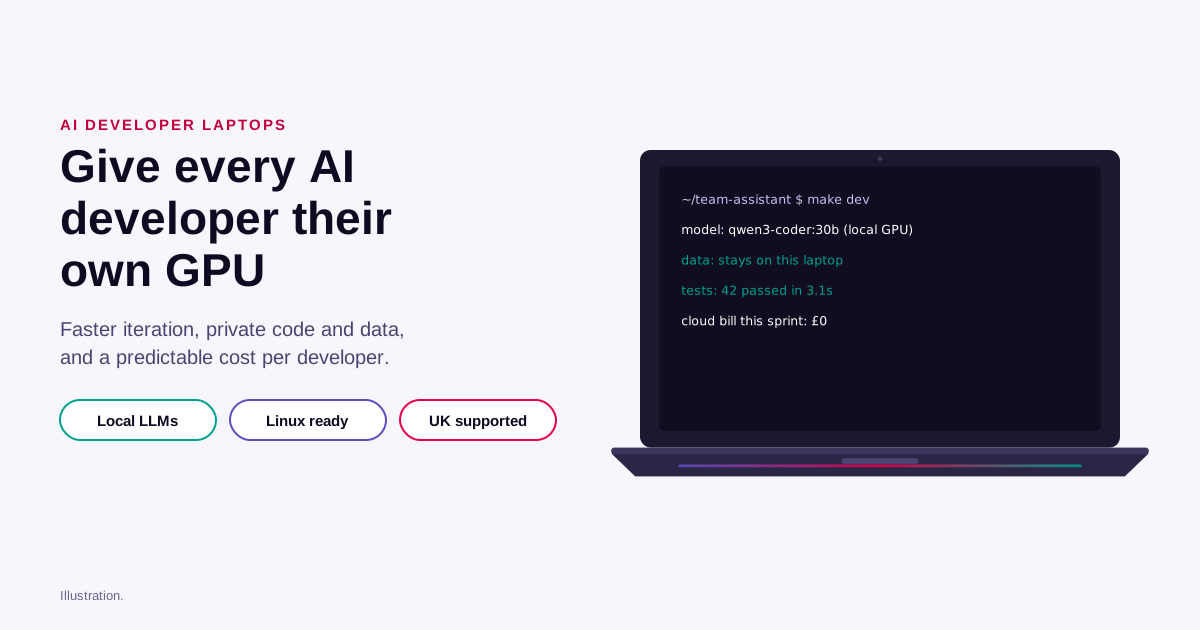
Every software team is now an AI team. Developers build features on top of language models, wire up agents and retrieval, and test prompts all day. Yet many still do that work on laptops that can't run a model, waiting for a shared GPU or sending code and data to an outside API. Giving AI developers a laptop with a serious GPU, running Linux, is one of the cheapest ways to make them faster, keep data private and make AI costs predictable.
The problem: AI development is waiting
AI features are built by trial: change a prompt, a retrieval step or a tool, run it, look at the answer, repeat. That loop runs hundreds of times a day per developer. Today it often depends on something outside the developer's control:
- A shared GPU server with a queue, or a cloud GPU that has to be started, paid for while idle and remembered to stop.
- A hosted AI API with rate limits, per-call costs and terms that may not allow your customers' data.
- A standard laptop that can't run a useful model at all, so experiments wait for someone else's hardware.
Every wait breaks concentration and makes developers batch changes, which means fewer experiments and slower learning about what works.
Six reasons to give AI developers their own GPU
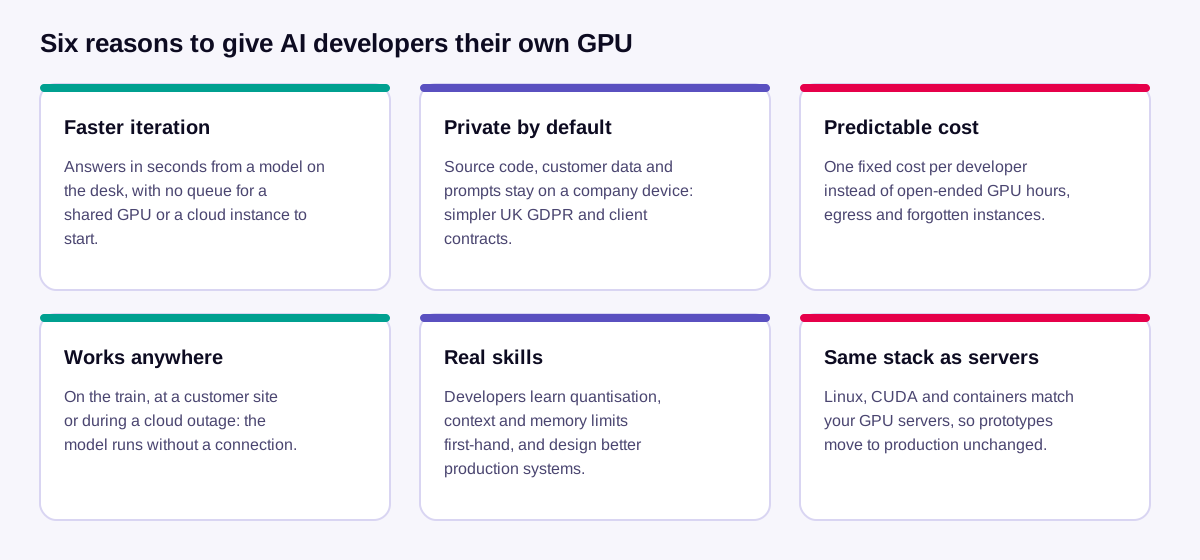
- Faster iteration. A model on the laptop answers in seconds, with no queue, no instance to start and no rate limit. More experiments per day means better features sooner.
- Private by default. Source code, customer data and prompts stay on a company-managed, encrypted device. That makes UK GDPR assessments and client security questionnaires simpler, and it lets developers work with realistic data that would never be allowed into a third-party API.
- Predictable cost. One fixed cost per developer replaces open-ended GPU hours, data transfer fees and the instance someone forgot to stop.
- Works anywhere. On the train, at a customer site with no internet access, or during a cloud provider's outage, development carries on.
- Real skills. Developers who run models themselves learn what context length, quantisation and memory limits mean in practice, and design production systems that cost less to run.
- The same stack as your servers. Linux, the NVIDIA driver, CUDA and containers are the same on the laptop as on your GPU servers, so a prototype moves to production unchanged.
What a developer can run on one
GPU memory decides which models fit. In November 2026:
- 16 GB (NVIDIA RTX 5080 Laptop GPU): fast 8B and 14B models for coding help, agents and retrieval, and OpenAI's open gpt-oss-20b reasoning model, all running entirely on the GPU.
- 24 GB (RTX 5090 Laptop GPU): adds the 27–32B class, such as Google's Gemma 3 27B, Qwen3.8 27B, the Qwen3-Coder 30B coding model and NVIDIA's Nemotron 3.5 Lightning agent model.
- With plenty of system memory (96 GB or more): even OpenAI's gpt-oss-120b runs, more slowly, by sharing the work between the GPU and the laptop's memory. That's useful for comparing answers with a much bigger model before paying for a server.
Developers can also fine-tune smaller models with LoRA on the laptop, to check data and settings on a small run before paying for a long one on a server. The technote has the full table, the memory arithmetic and the setup commands.
The money, honestly
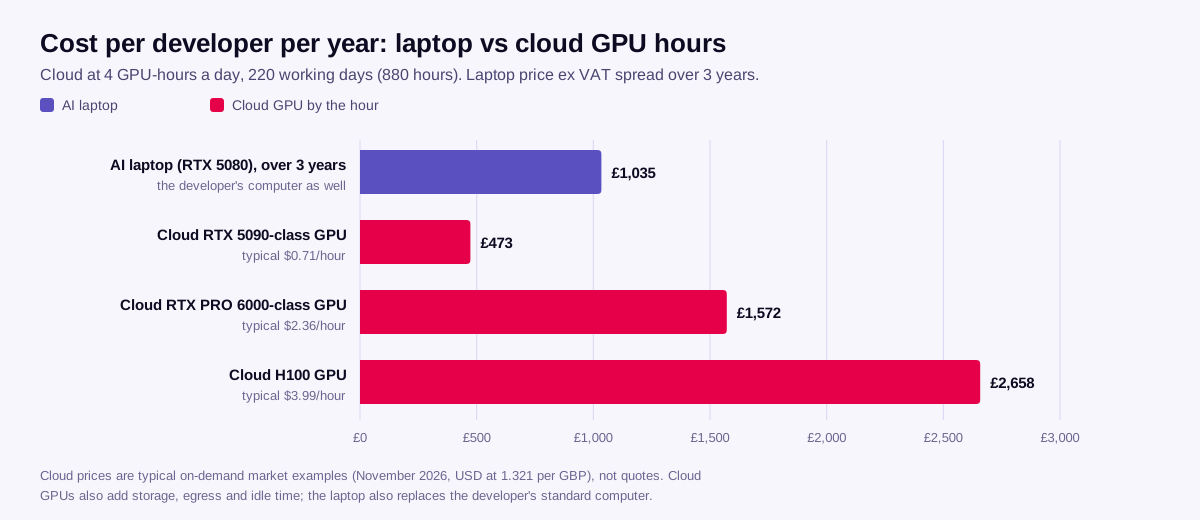
Measured purely in GPU-hours, a small consumer-class cloud GPU is cheaper than a laptop, and we won't pretend otherwise. The comparison changes when you count what the hourly price leaves out:
- The laptop is also the developer's computer. The real extra cost is the difference over the standard laptop you'd buy anyway.
- Cloud bills include more than GPU-hours: storage, data transfer, idle time and instances left running. Larger cloud GPUs cost several times more per hour.
- Developer time is the expensive part. A few minutes of waiting per experiment, many times a day, costs more over a year than the laptop.
- Data rules may decide it. If customer data or source code can't go to a third party, the hourly price of an outside GPU doesn't matter.
The sensible pattern is both: the laptop for the daily inner loop, and a shared GPU server or the cloud for training, long runs and production. Our technote shows where to draw that line.
Who should get one
| Role | Suggested configuration |
|---|---|
| Developers building AI features (assistants, agents, retrieval) | RTX 5080, 16 GB; 64 GB memory; 2 TB storage |
| AI and ML engineers (evaluation, fine-tuning, bigger models) | RTX 5090, 24 GB; 96 GB memory; 4 TB storage |
| Data scientists | RTX 5080, 16 GB; 64–96 GB memory |
| Researchers testing very large open models locally | RTX 5090, 24 GB; 128–192 GB memory |
How to roll it out
- Pilot with two or three developers on one team for a month. Measure experiments per day, time to a working prototype, and how often they still need a shared GPU or a hosted API.
- Standardise the build: Ubuntu LTS, the NVIDIA driver, the container toolkit, one local model runtime, and an approved list of models with their licences.
- Secure it: full-disk encryption, device management, and model servers that only listen on the laptop itself.
- Set the rule for hosted AI: local by default; hosted frontier models on request, for tasks and data your policy allows.
- Keep a shared GPU server for jobs that outgrow a laptop, so the laptops stay responsive.
The laptop we recommend
The Juno Neptune 18" is an 18-inch Linux laptop with an Intel Core Ultra 9 290HX Plus, an NVIDIA RTX 5080 Laptop GPU with 16 GB (RTX 5090 with 24 GB on request), up to 192 GB of memory and four SSD slots. It ships with Kubuntu or Ubuntu 26.04 LTS. It's £3,104.17 ex VAT (£3,725.00 inc VAT), dispatched in 5 to 7 working days, with support from our UK engineers.
Want to try before you buy, or spread the cost? Workstation Rentals rents AI laptops by the week or month, and GPU Leasing explains leasing. For the technical detail, read the technote: AI developer laptops: running LLMs locally on Linux.
Cloud prices are typical on-demand market examples, not quotes, converted at 1.321 US dollars to the pound. GPU memory figures are NVIDIA's. NVIDIA, GeForce and RTX are trademarks of NVIDIA Corporation; other names are the property of their respective owners.